
Why Use This Feature?
Leaderboards let you log your workout results and track how you’re performing compared to others on the same programme.
They add motivation, accountability, and a bit of friendly competition to your training.
Step-by-Step Instructions
-
Open the LegitFit app.
-
You can also use a web browser, but most members log results through the app.
-
-
Find the programme you want to log results for:
-
Go to Timetable and select the programme on the relevant date, or
-
Go to Home → My Schedule and select the assigned programme.
-
-
Open the programme.
-
Select the block you are logging results for.
-
For example, Block A.
-
-
Enter your score.
-
Depending on how the workout was set up, this will be one of the following:
-
Total Time
-
Total Reps
-
Quality
-
-
-
Input your result and submit it.
-
Your score is saved automatically once submitted.
-
What Happens Next
-
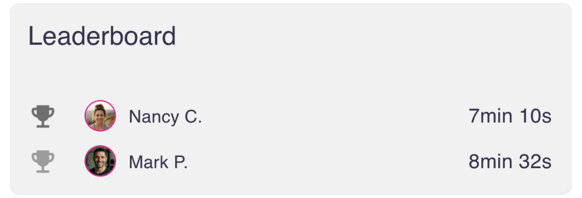
Your score is added to the leaderboard for that programme block.
-
You can see:
-
Your own result
-
Other members’ results for the same programme
-
-
Everyone assigned to that programme can view the full leaderboard.
Scores are linked to that specific programme and date.
Success Tip
If you enter the wrong score, you can go back into the same programme block and update your result.
Try the Step-by-Step Guide