
Schedule Membership Freezes Instead Of Freezing ImmediatelyPause memberships in advance without cancelling or manual follow-ups. You can now schedule a membership freeze to start and end on specific dates. This gives you more flexibility to support holidays, injuries, or planned breaks while keeping billing and retention on track. What it does:
How to try it:
📱 Pro Tip: Use scheduled freezes for holidays or seasonal breaks, and set clear rules on how often clients can freeze to protect long-term retention. |
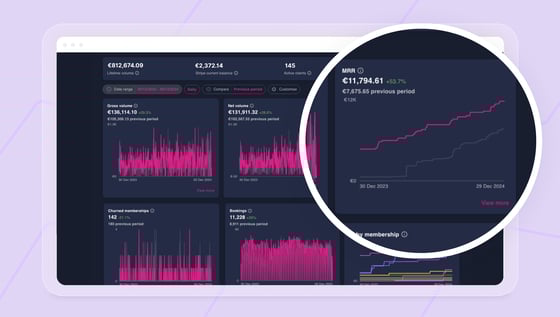 |
Work With Data More Easily Using Unified ReportsCustomise your reports and explore performance with more flexibility.
Unified Reports brings your key business metrics into a single, customisable dashboard. You can choose which reports appear, adjust date ranges, compare performance over time, and explore the data behind each report when you need more context. What it does:
How to try it:
📱 Pro Tip: Set up your Unified Reports view to match how you review performance regularly, such as monthly or year to date, so the data you need is always front and centre. |
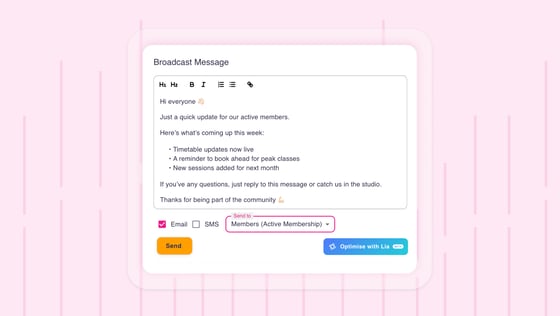 |
Send Broadcasts to Members With an Active MembershipTarget messages more accurately using membership status. You can now send broadcast messages specifically to clients who currently have an active membership. This makes it easier to share updates, reminders, or announcements with the members who are actively attending and paying, without manually segmenting your audience. What it does:
How to try it:
📱 Pro Tip: Use the active membership filter for important studio updates like timetable changes, closures, or policy reminders so messages stay relevant and well received.
|