
Why Use This Feature?
Leaderboards allow you to track workout performance and compare results across clients on the same programme. They are ideal for time-based, rep-based, or quality-based workouts where comparison and motivation are useful.
Step-by-Step Instructions
Set up leaderboard scoring in a programme
-
Open LegitFit in a web browser.
-
Leaderboards are managed from the admin dashboard and are not available in the app.
-
-
Go to Timetable → Programmes.
-
Open an existing programme or click + Programme to create a new one.
-
Build your programme blocks as normal.
-
In the block you want to track:
-
Locate the Score dropdown beside the workout title.
-
Choose one of the following:
-
Quality
-
Total Time
-
Total Reps
-
-
-
Save the programme.
-
This defines what score clients will be prompted to submit for that block.
-
View leaderboard results
-
Go to Timetable → Programmes or Timetable → Sessions.
-
Select the relevant programme recurrence.
-
Leaderboards are tied to specific programme dates.
-
-
Open the programme and select the block with scoring enabled.
-
For example, Block A.
-
-
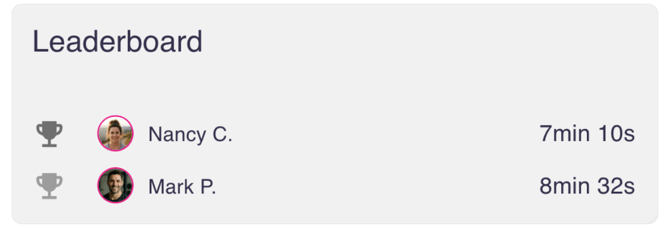
View the leaderboard.
-
All submitted scores for that block are displayed.
-
Results are ranked automatically based on the score type.
-
How Leaderboards Work
-
Scores are recorded per block, not per individual exercise.
-
Each client submits one score per block.
-
Leaderboards update automatically when a score is submitted or edited.
-
Ranking logic depends on the score type:
-
Faster times rank higher for Total Time
-
Higher numbers rank higher for Total Reps
-
Better ratings rank higher for Quality
-
What Happens Next
Once clients submit their scores, you can return to the programme at any time to review results.
Leaderboards remain visible within the programme block for that specific recurrence and are shared across all clients assigned to the programme.
Success Tip
Leaderboards work best when used for a single, clearly defined workout within a block. For tracking metrics over time, use Progress Tracking instead.
Try the Step-by-Step Guide